User Manual

How can we help you?

Find answers to common questions about Your Tools features and workflows.

1 How are AI credits deducted in Your Tools?

AI credit billing varies depending on the feature used. Typically:

  • Image processing costs 5 credits per image. This includes using the AI model for image clarity enhancement, photo style transformation, and any new AI image processing features added later.
  • Text processing costs 2 credits per operation. This includes AI-powered text translation, text summarization, and any new AI text processing features added later. Long text processing is also currently 2 credits.
  • Batch file processing costs 1 credit per operation. This includes the security watermark feature for batch watermarking.
  • PDF free-mode export costs 1 credit per export.
  • Audio/video subtitle processing costs 6 credits per operation.
  • PDF smart parsing & knowledge base search costs 2 credits per operation. This uses the text model for PDF smart parsing and knowledge base retrieval.

Monthly credit allocation by plan:

  • Free users receive 40 AI credits per month.
  • Monthly Pro users receive 300 AI credits per month.
  • Quarterly Pro users receive 500 AI credits per month.
  • Annual Pro users receive 800 AI credits per month.
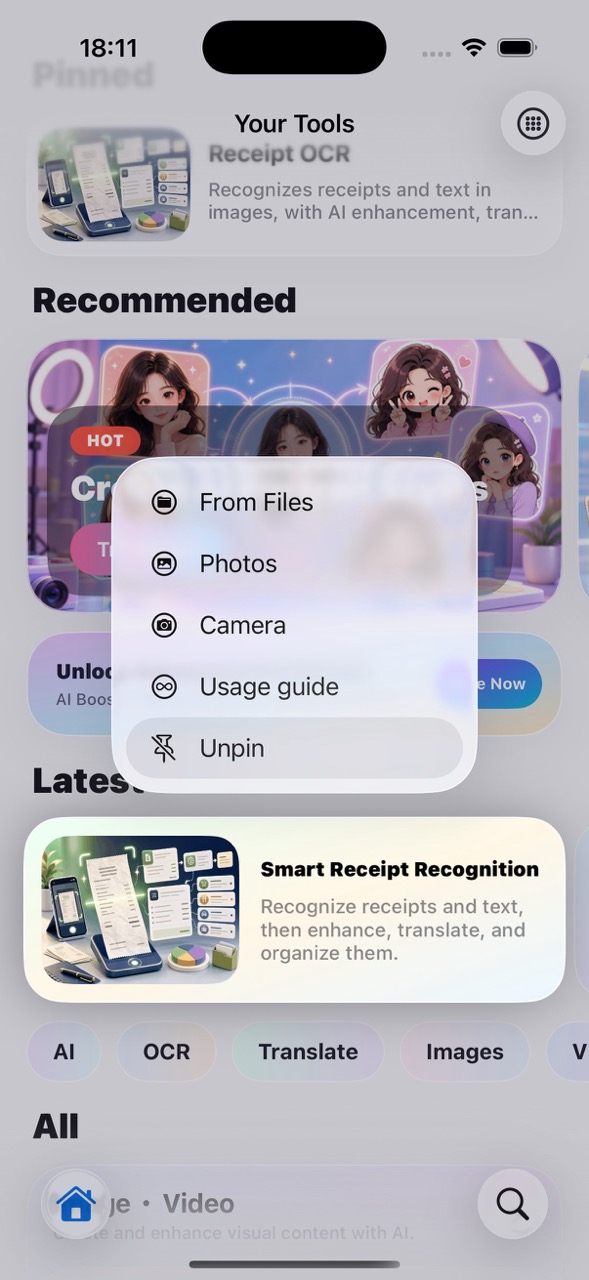
2 How does the homepage pinning feature work?
  1. On the homepage, select the feature you want to pin to the top.
  2. Long-press to open the shortcut menu, then tap Pin — the feature will be pinned to the top of the homepage.
  3. Alternatively, tap a category on the homepage to enter the category feature list, then swipe left on any feature to pin or unpin it.
Homepage pinning feature
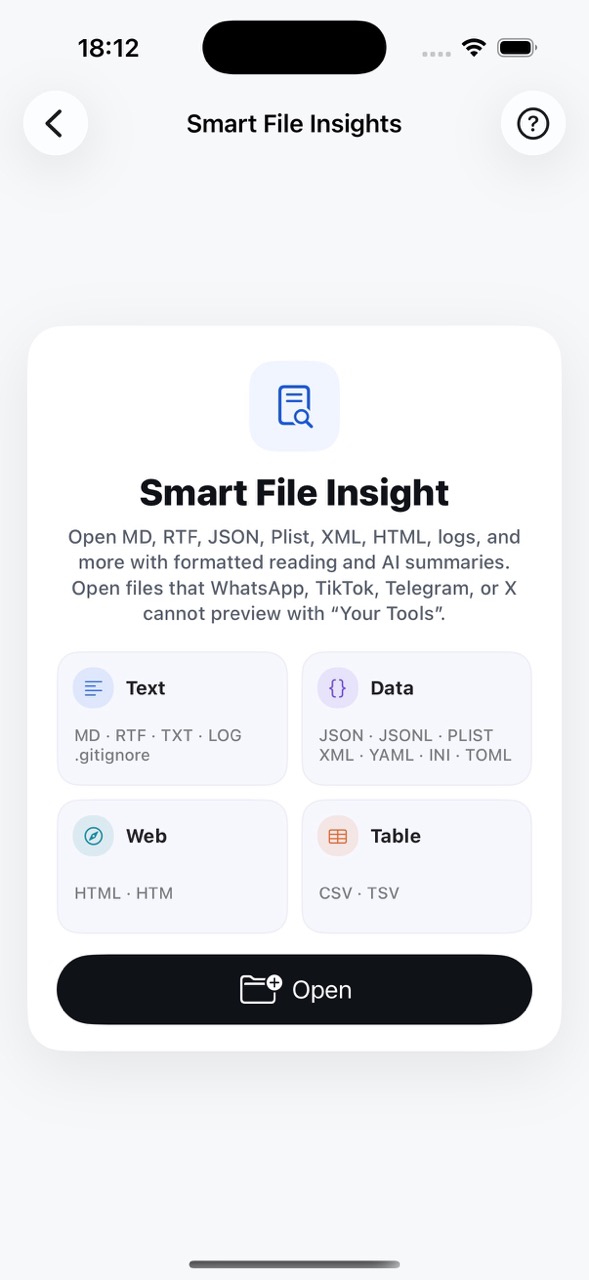
3 What file formats are supported for special file reading?

Special file reading supports the following formats:

MD RTF JSON / JSONL PLIST XML HTML / HTM TXT LOG CSV / TSV YAML INI TOML .gitignore
File formats supported
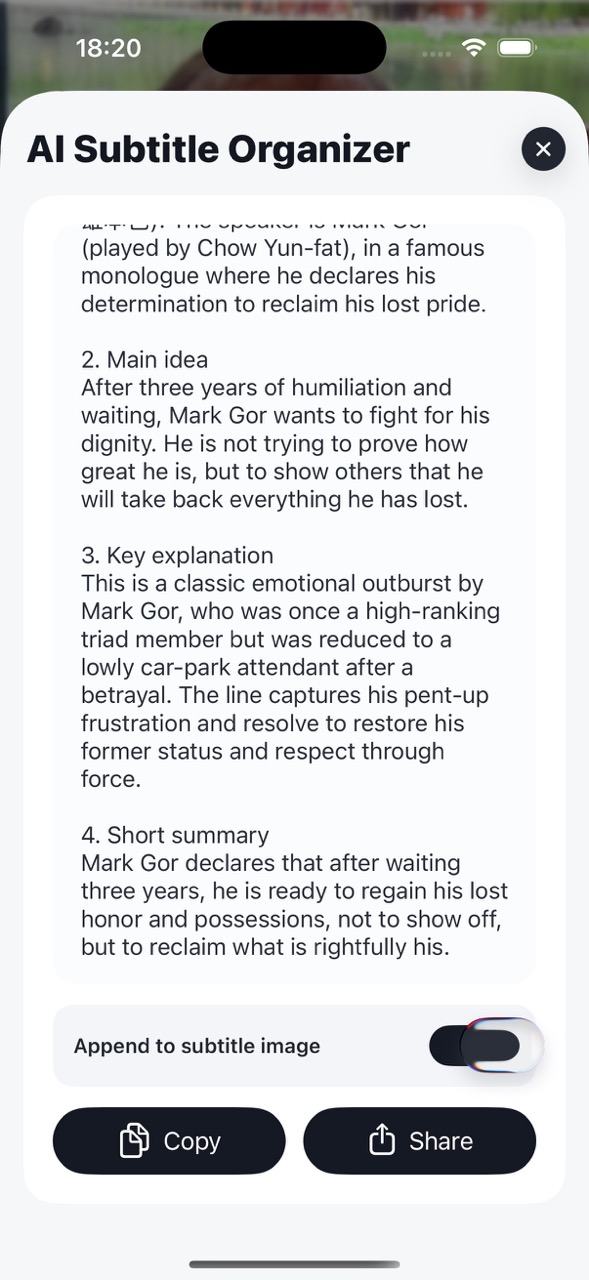
4 How to append AI-organized content at the end of subtitle images?
  1. After the subtitle image stitching is generated, tap the AI icon in the bottom-right corner.
  2. The AI will organize and summarize the subtitles for you.
  3. Once summarization is complete, a preview of the summary text will appear.
  4. Toggle on "Append to subtitle image" — the subtitle long image will automatically append the organized text at the end.
Video subtitle AI stitching
5 How many QR codes can the QR scanner recognize simultaneously?

Theoretically, it supports simultaneous recognition of 12–15 QR codes or barcodes.

6 What is the maximum duration supported for audio/video subtitle processing?

Audio/video subtitle processing supports up to a maximum of 2 hours.

🔍

No matching questions found.
Try a different search term.